
Products, licenses, and subscriptions
Follow the commerce workflow from setup to fulfillment
These short walkthroughs cover store setup, products and plans, catalog blocks, checkout, orders, licenses, and the customer dashboard.
Core Forms can act as a lightweight digital-product checkout and license server. Payment gateways collect money; Core Forms owns the product catalog, orders, license keys, signed package downloads, customer access, and subscription terms.
Set up the store
- Enable Settings → License Issuing Server. Core Forms creates a native Checkout page containing
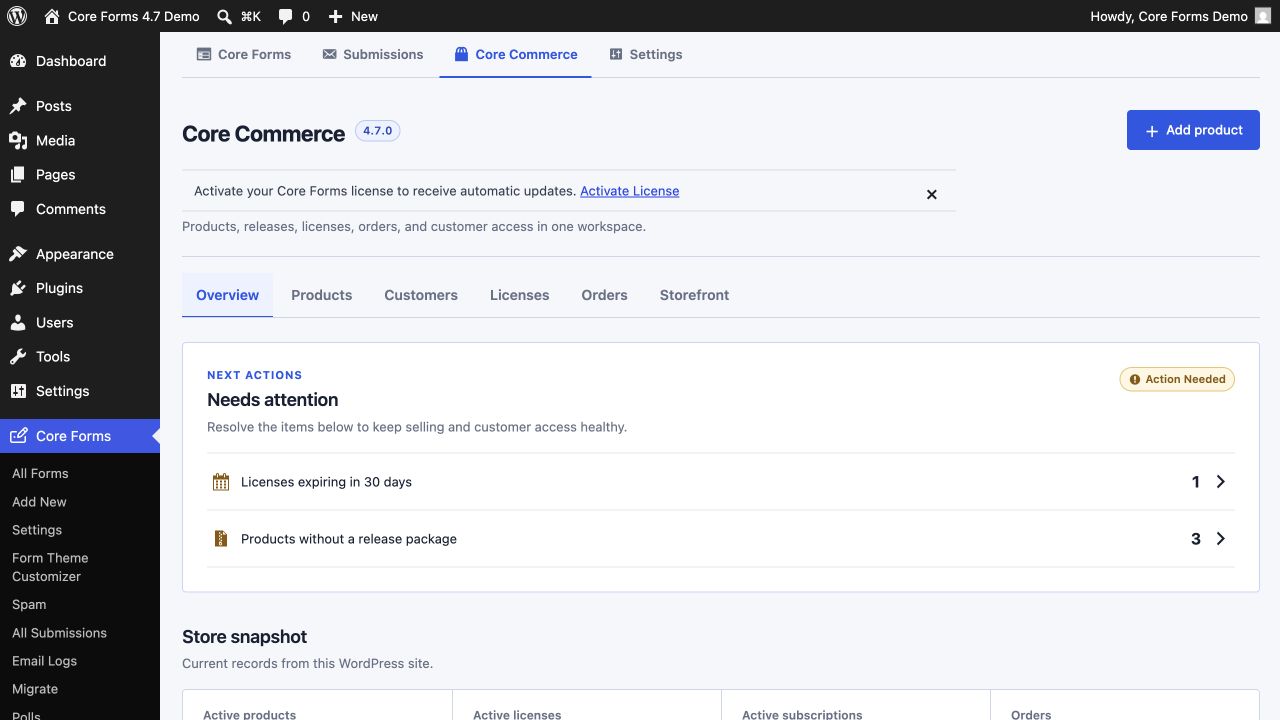
[cf_license_checkout]and a Customer Dashboard page containing[cf_license_dashboard]. - Open Core Forms → Core Commerce and add each product. Products may be plugins, themes, or other digital downloads. Add a square Media Library icon when you have one; Core Forms supplies a product-type fallback otherwise.
- Add one or more plans per product. A plan defines price, currency, billing period, license duration, trial, and activation limit.
- In Settings → Payments → Currency routing, assign each currency to one or more compatible gateways and choose its default. Core Forms starts with USD routed to Stripe, PayPal, and Polar, and INR routed to Razorpay. A configured route is enforced before checkout.
- Link customers to
/checkout/?product=product-slug&plan=plan-slug, or use the product catalog. The native checkout reads the product and plan, shows every configured gateway allowed for that currency, stores the order, and issues the license after free checkout or a verified paid webhook. It does not require a Core Form post. - When a product needs additional fields or actions, open its Forms section and choose Generate optional Core Forms. Core Forms creates a separate editable checkout form and page per active plan, plus a renewal form for renewable products. These sample checkout forms include optional phone, company, tax, billing-address, licensed-site, and order-note fields. Their fulfillment action maps the customer data, sends the license email, and notifies the store administrator. The generated form uses the default gateway from the currency route.
- Open the product's Releases section and publish a ZIP from the Media Library. Core Forms checks ZIP integrity, unsafe paths, product headers, declared version, and the SHA-256 digest before making it current.
Generated Core Forms are non-destructive and optional. Running the action again creates only missing forms or pages and never overwrites a form that has been edited. Billing fields are optional starting points and can be removed or made required in the form editor. The catalog always uses the native shared checkout, which asks only for name, email, and consent; generated pages are available for custom campaigns and richer form workflows.
To explore the workflow without building records by hand, open the Products list and choose Generate sample products. The action inserts only missing sample plugin, theme, and digital-download records and plans, so repeated runs do not create duplicates or replace edits.
Payment-enabled forms do not run fulfillment when the browser merely returns from checkout. Core Forms waits for the gateway's verified paid webhook, then atomically runs the action. The action logger and order source key make webhook retries idempotent.
Sell multiple products or bundles
Set Product selection field to a form variable such as [products]. Add one mapping per line:
core-forms=12:4:1
agency-bundle=12:7:1
analytics-addon=18:9:2
The format is submitted-value=product_id:plan_id:quantity. Checkbox or multi-select values may be comma- or pipe-separated. Every selected mapping becomes an order item, and the quantity controls how many separate keys are issued.
You may also add the fulfillment action more than once to a form. Existing saved issue_license actions continue to work.
Customer dashboard and catalog
Use the Customers tab for a case-insensitive buyer view that combines orders, licenses, and active sites. See Customers, orders, and activated sites for the administrative workflow.
[cf_license_dashboard]displays orders, full keys with reveal/copy controls, current package downloads, expiry, subscription term, and activated sites.- Logged-in customers are matched by WordPress user ID or email.
- Guest customers receive a signed, 30-day dashboard link. The signature is verified server-side and does not expose a reusable password.
- Customers who lose that link can request a fresh one from the dashboard page. The form never reveals whether an email is associated with an order and throttles repeated requests.
- Customers can deactivate individual sites and stop local renewal tracking.
[cf_license_products columns="3" type="plugin" limit="6"]renders a filterable product and plan catalog. It also supportsorderby="name|created|updated|version"andorder="ASC|DESC".[cf_license_product_list type="plugin" limit="8" show_price="1"]renders a compact directory when full pricing cards would be too heavy.[cf_license_product product="core-forms-pro"]renders one product and all active plans. Addplan="personal"to show one plan, orshow_description="0"andshow_version="0"for a tighter card.[cf_license_price product="core-forms-pro" plan="personal"]outputs only a formatted plan price.[cf_license_buy_button product="core-forms-pro" plan="personal" label="Buy Core Forms"]outputs a direct checkout button.[cf_license_checkout]uses theproductandplanURL parameters on the shared checkout page. In a fixed campaign page,[cf_license_checkout product="core-forms-pro" plan="personal"]pins the selection.
Each shortcode has a dynamic Block Editor replacement with product and plan selectors and a server-rendered preview. Editors can find them by searching for “product”, “license”, or “checkout”. The full reference is available under Core Forms → Core Commerce → Display and in the global Core Forms settings screen.
Core Forms does not create a public single-product page for every product. Choose a page and insert the relevant blocks or shortcodes. See Product pages, blocks, and shortcodes for copy-ready examples and a publishing checklist.
Package links expire after 15 minutes. New links use an internal license record ID instead of carrying the full license key. Downloads require an active, unexpired license, verify the stored SHA-256 hash, and are written to the download audit and activity tables.
Renewals and refunds
Use a separate paid form with the Renew License Subscription action. Include license_key and email fields. The dashboard links to this form without pre-filling either secret in its URL. After payment confirmation, Core Forms records a renewal order and extends the existing subscription and key from the later of today or the current period end.
Core Forms tracks recurring terms, access, cancellation, expiry, and renewal orders. The selected payment provider still owns automatic charging and payment-method storage. Connect its successful renewal event to a paid Core Forms renewal submission when automatic recurring collection is required.
A verified refund marks matching orders refunded, disables their issued licenses, and cancels their subscriptions. Daily maintenance expires overdue subscriptions and licenses. Run it manually with:
wp core-forms license maintenance
License client API
EDD Software Licensing-compatible endpoints remain available:
/wp-json/core-forms/v1/check_license
/wp-json/core-forms/v1/activate_license
/wp-json/core-forms/v1/deactivate_license
/wp-json/core-forms/v1/get_version
Send license plus item_id or item_name, and url for site-specific activation. Legacy ?edd_action= requests remain supported.
See Integrate license keys and automatic updates for a complete WordPress plugin client, activation flow, update hooks, fresh signed package downloads, theme notes, and an end-to-end test checklist.
The authenticated/signed customer endpoint is:
GET /wp-json/core-forms/v1/customer/licenses
Cookie-authenticated WordPress requests use the normal REST nonce. Guest requests send the access_token from the dashboard link.
Authenticated commerce REST API
Administrators and integrations with manage_core_forms_licenses can operate the complete commerce workspace under /wp-json/core-forms/v1/commerce. WordPress cookie authentication requires the normal REST nonce; application passwords and other standard authenticated REST transports also work. These endpoints never return payment credentials or full license keys.
| Resource | Endpoints |
|---|---|
| Overview | GET /summary |
| Products | GET, POST /products; GET, PATCH /products/{id}; POST /products/{id}/generate-forms |
| Plans | GET /plans; GET, POST /products/{product_id}/plans; PATCH /plans/{id} |
| Releases | GET /releases; GET, POST /products/{product_id}/releases |
| Orders | GET /orders; GET /orders/{id}; POST /orders/{id}/resend-access |
| Licenses | GET /licenses; GET, PATCH /licenses/{id}; reset activations and resend access through the record action endpoints |
| Operations | GET /activations, /subscriptions, /downloads, and /events; deactivate one activation or update one subscription by ID |
| Setup | POST /sample-products; GET, PUT /currency-routes; GET /gateways |
Products and plans are archived by changing status; this API intentionally provides no destructive delete route. Publishing a release accepts a WordPress Media Library attachment_id, validates the ZIP, and requires replace_existing: true before replacing the same product version. Currency-route updates modify only the routing map and preserve stored gateway credentials.
Public Storefront REST API
Static sites, JavaScript applications, and external sales pages can read the customer-facing catalog without using an administrator credential:
GET /wp-json/core-forms/v1/storefront
GET /wp-json/core-forms/v1/storefront/products
GET /wp-json/core-forms/v1/storefront/products/{slug}
The product collection accepts page, per_page, type, currency, search, orderby, and order. The single-product route accepts an optional three-letter currency filter. Product responses contain only public slugs, names, descriptions, versions, resolved icons, active plans, formatted and minor-unit prices, billing and license terms, and hosted checkout URLs. Database IDs, form and page references, archived records, releases, orders, customer data, license keys, gateway configuration, and credentials are never included.
The public catalog is available only while Settings → License Issuing Server is enabled. Responses support cross-origin reads, five-minute shared caching, ETags, and conditional 304 Not Modified requests. Use cf_storefront_enabled, cf_storefront_cache_ttl, cf_storefront_product, and cf_storefront_plan to control availability, caching, or additional public fields.
Astro can load a product during a static build:
---
const response = await fetch(
  'https://store.example.com/wp-json/core-forms/v1/storefront/products/core-forms-pro'
);
const product = await response.json();
---

<h2>{product.name}</h2>
{product.plans.map((plan) => (
  <a href={plan.checkout_url}>{plan.formatted_price}</a>
))}
Checkout remains on the WordPress store so gateway routing, payment verification, orders, and license fulfillment continue to use the existing secured workflow.
WordPress and MCP abilities
On WordPress 6.9 or newer, Core Forms registers the same operations as discoverable abilities in the core-forms-commerce category. The ability names use the core-forms/ namespace, including list-products, save-product, save-plan, publish-release, list-orders, list-licenses, update-license, generate-product-forms, generate-sample-products, get-currency-routes, update-currency-routes, and get-gateway-status.
Every ability:
- requires
manage_core_forms_licensesormanage_options; - declares read-only and idempotency annotations;
- is exposed through the WordPress Abilities REST controller;
- sets
mcp.publicfor compatible WordPress MCP adapters; - calls the same validated service as the direct commerce REST routes;
- keeps credentials and full license keys out of tool output.
WordPress 6.4 through 6.8 continue to use the direct REST API. The Abilities registration is conditional and does not change the plugin's minimum WordPress version.
WP-CLI
wp core-forms license product-list
wp core-forms license product-create "Core Forms" --slug=core-forms --version=4.4.2 --activation-limit=3
wp core-forms license plan-list
wp core-forms license order-list
wp core-forms license license-list --limit=1000 --format=csv
wp core-forms license maintenance
Extension hooks
cf_license_order_fulfilled( $order_id, $license_ids, $submission, $form )cf_license_renewed( $license_id, $expires_at, $submission, $form )cf_license_order_refunded( $order_ids, $submission )cf_license_maintenance_completed( $subscriptions_expired, $licenses_expired )